Every PDF tool you need.
Right on your desktop.
Split, organize, compress, convert, sign, watermark and protect PDFs — fast, offline and private. Your files never leave your computer.
Eight tools. One clean workspace.
Each colour of the logo is a family of tools — so you always know where to go.
Made for the jobs you do every month
Not a web page with an upload button — a real Windows app that handles hundreds of pages in seconds.
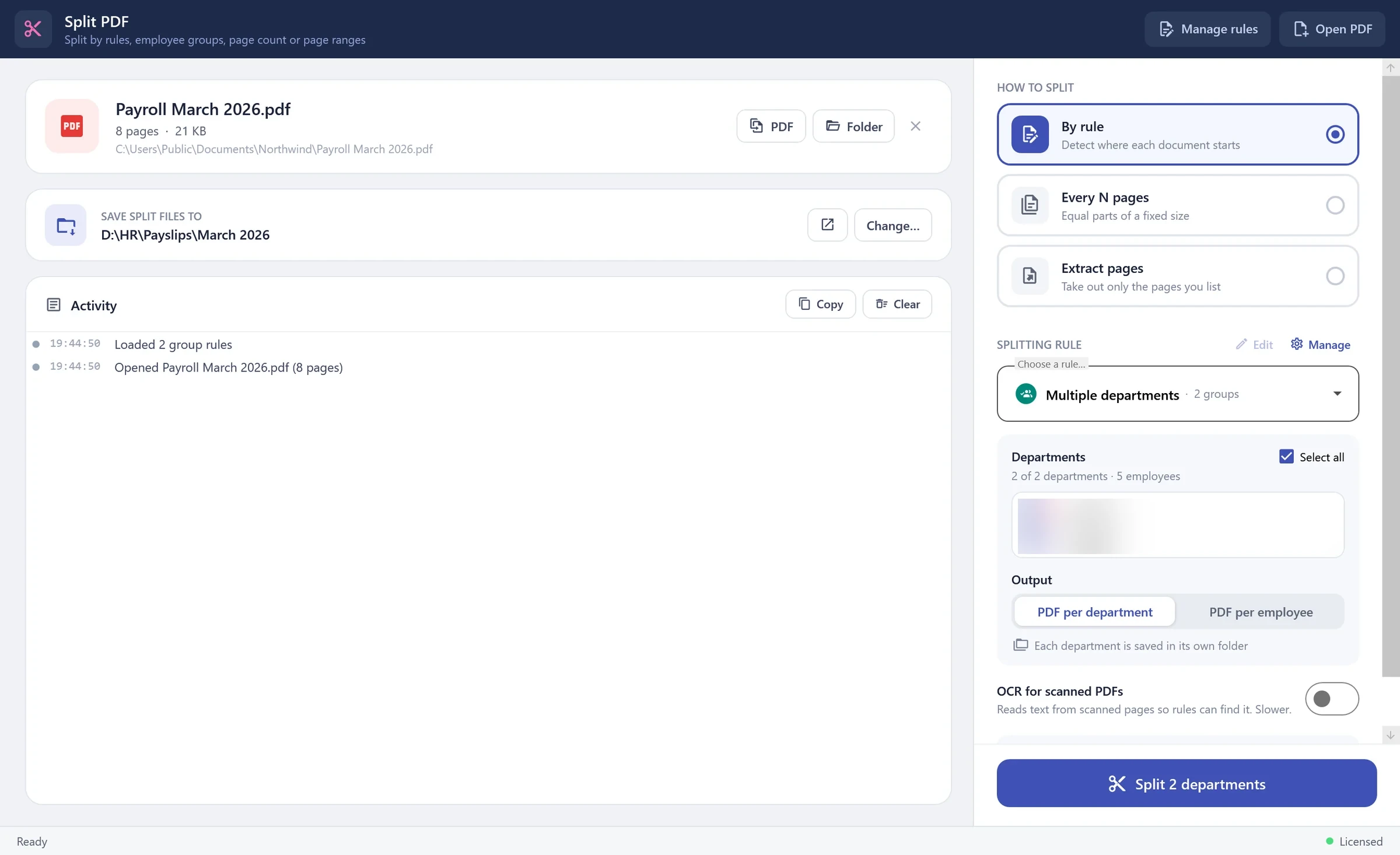
One big PDF in, the right files out.
Split by rules that find where each document starts, by page count or by page ranges. Group rules pull every employee of a department out of a payroll run in one click — each department in its own folder.
- Rules that read the page. Detect a new document by an ID, a keyword or a pattern, and name every file from what's written on it.
- Department groups. Save a department's employees once. Every month, split the whole payroll by department — or one PDF per employee.
- Whole folders at once. Point it at a folder and every PDF inside is split with the same settings.
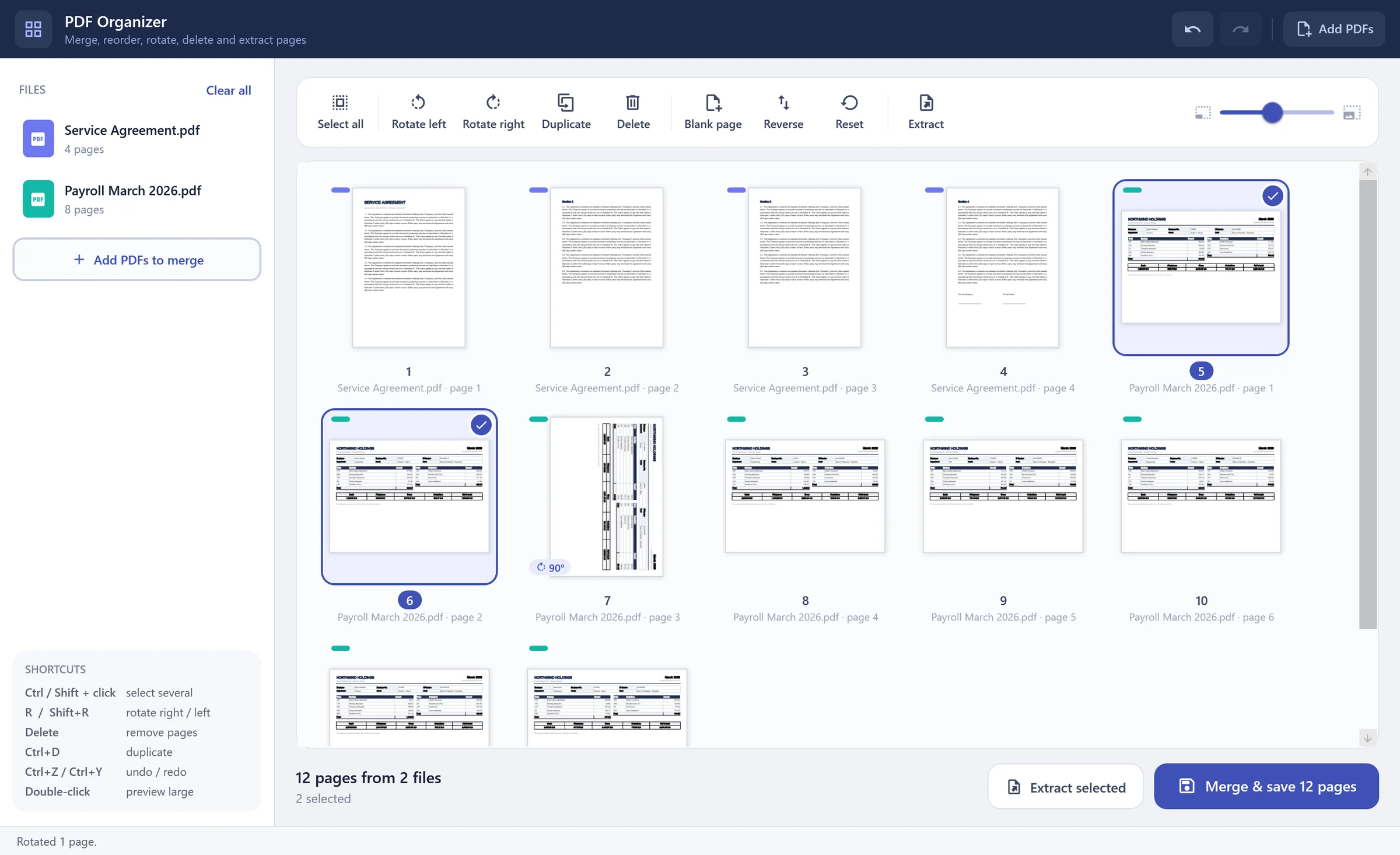
Merge, reorder, rotate — see every page.
Drop in one or many PDFs and work with real page thumbnails: drag pages into order, rotate, duplicate, delete, add blank pages, extract a selection — then save or merge into one file.
- Drag & drop pages. Move one page or a whole selection; a line shows exactly where it will land.
- Merge many files. Each source file gets its own colour so you always know where a page came from.
- Rotate the right way. Rotation adds to a page's own orientation — no more pages that flip back.
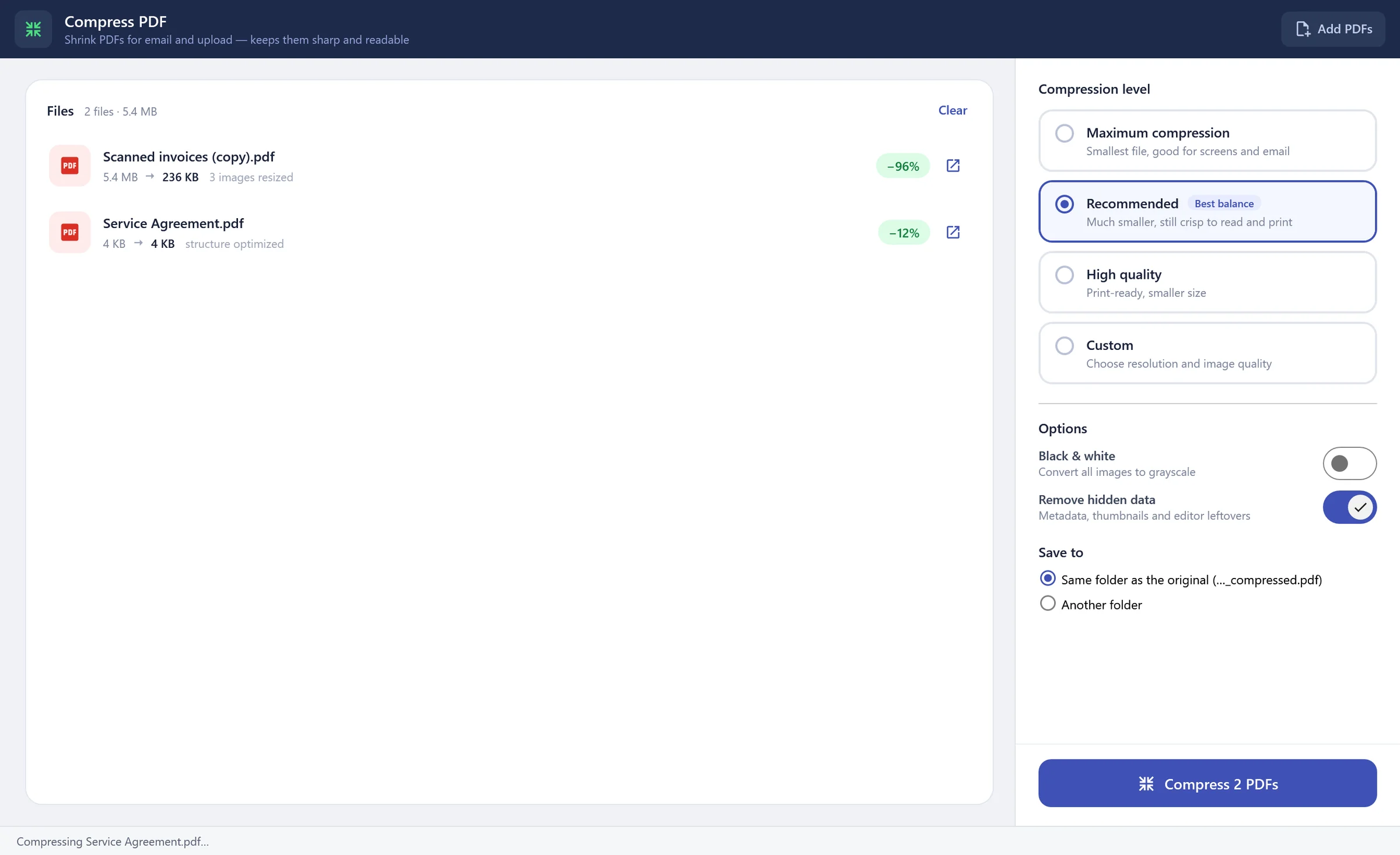
Much smaller files, still crisp.
Real compression: oversized images are resampled to the resolution you need and the file structure is rebuilt. Scanned documents often shrink by 80–95% and stay perfectly readable.
- Up to −95% on scans. Big scanned pages are resampled cleanly instead of just re-saved.
- Choose the balance. Maximum, recommended, high quality, or your own DPI and quality.
- Batch in one go. Compress many PDFs and see the saving for each.
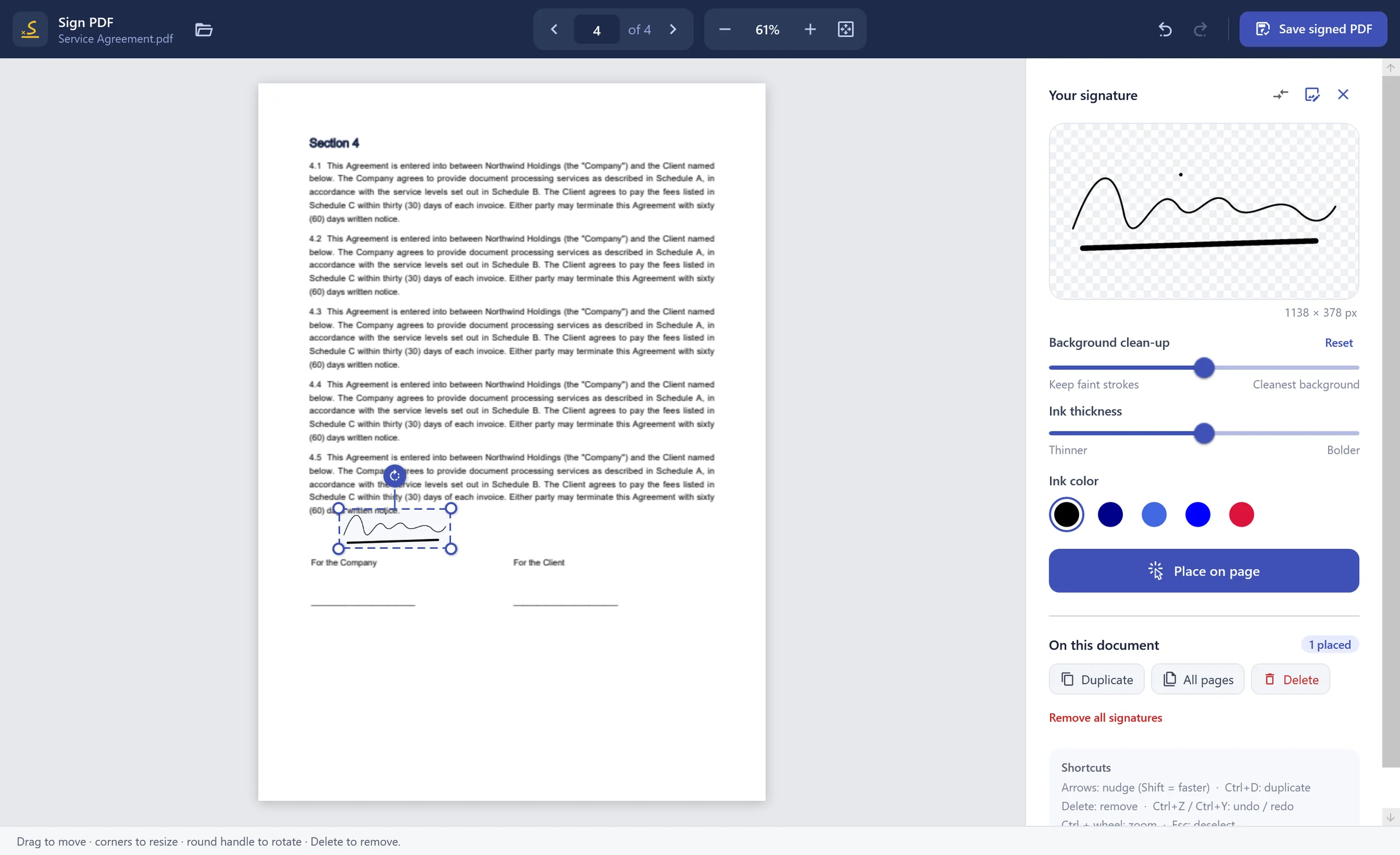
Your real signature, cleanly placed.
Photograph or scan your signature; the background is removed precisely and the ink keeps its real shape. Place it, resize it, rotate it, add it to every page — and save a properly signed PDF.
- Background removal. From a phone photo to a clean transparent signature.
- Never stretched. Your signature keeps its true proportions at any size.
- Ink thickness & colour. Fine-tune the stroke and choose black, blue or red ink.
Everything in one download
Your documents stay yours.
Payslips, contracts, medical records — the files you handle are private. PDF Toolkit never sends them anywhere.
Processed on your PC
Every page is opened, edited and saved locally. Nothing is uploaded — ever.
Works offline
All tools run without internet. A license stays active offline for 7 days.
Only the license is checked
The app sends your key, an anonymous device ID and its version. Never your documents.
Arabic & English
Right-to-left text, Arabic file names and vector-sharp Arabic watermarks.
Pay once. Use it for life.
No subscriptions. The free trial includes every tool — buy a lifetime license when you're ready.
Free trial
Every tool, to try at your own pace.
- All 8 tools
- Small trial mark on saved files
- No time limit
- No account needed
Personal
For one computer at home or at work.
- All 8 tools
- No trial mark
- 1 PC
- Lifetime license
- Free updates
- Email & WhatsApp support
Professional
For people who work on more than one PC.
- All 8 tools
- No trial mark
- 3 PCs
- Lifetime license
- Free updates
- Priority support
Business
For offices and teams.
- Everything in Professional
- 10 PCs — more on request
- One invoice for your company
- Help installing on your team's PCs
Questions, answered
No. Every PDF is opened, edited and saved on your own computer. The app only contacts our license server to confirm your license — it sends your license key, an anonymous device ID and the app version, never your documents.
More in the full FAQ.
Get every PDF tool in one minute.
Download, install, and start working. No account, no credit card, no time limit on the trial.